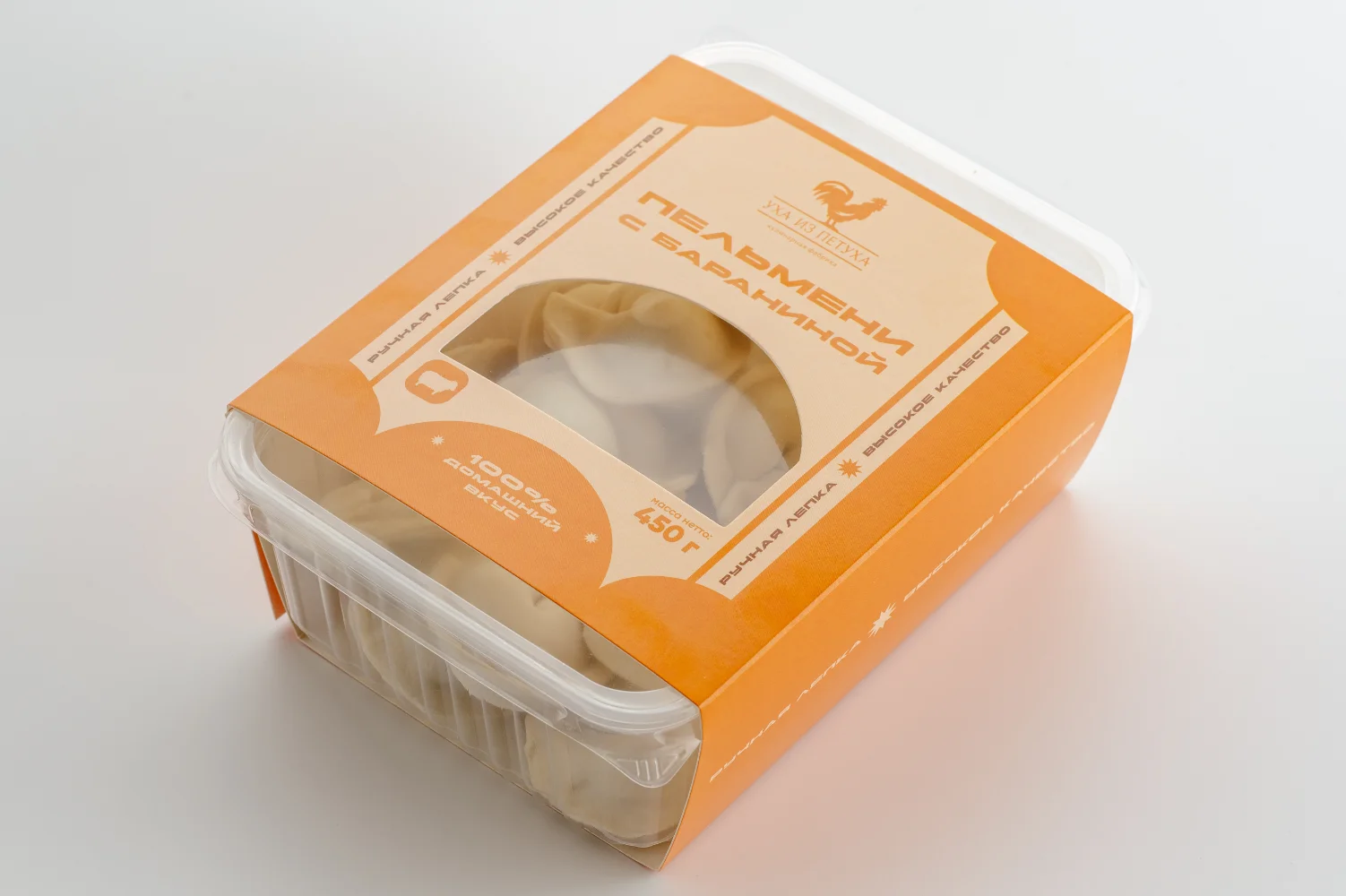
I see sleeves look perfect in sampling, then slip, scuff, or jam on the line, and the team pays for rework and downtime.
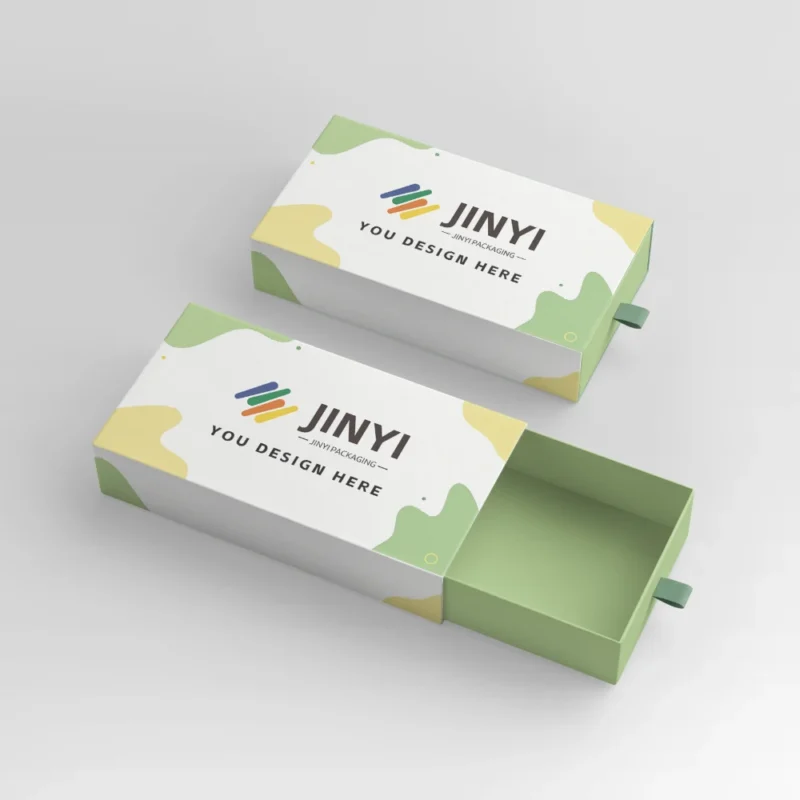
A sleeve should be tight enough to control position, but loose enough to run. I aim for a practical fit window, not a single “perfect” number. If you want a starting point, I spec from sleeve packaging boxes that hold fit without hurting line speed and I validate COF before scale.

I write this as someone who has to live with the result. I care about shelf appearance, but I care more about whether the sleeve runs cleanly across batches, seasons, and operators.

What “Tight” Really Means in Sleeve Packaging?
I often hear “make it tighter,” and I also see that request create scuffs, wrinkles, and slow feeding.
A tight sleeve is not “max friction.” A tight sleeve is controlled positioning without forcing deformation or line stoppages.
I define “tight” as control without damage
I do not treat “tight” as a feel. I treat it as a system outcome. A sleeve must locate on the pack, stay square, and keep edges clean. At the same time, the sleeve must not increase friction so much that it creates scuff marks, heat buildup, or jams. This is why I frame tightness as a fit window. If the sleeve is too loose, it drifts, it rotates, and it looks cheap on shelf. If the sleeve is too tight, it wrinkles at corners, it tears during application, and it slows your line. I also watch the base pack. A rigid tray, a paperboard box, and a flexible tub all react differently when a sleeve presses on them. If the base pack compresses, the sleeve can creep after application and you will see skew later. My goal is control that holds through handling, not a sleeve that feels “snug” for five minutes.
| Tightness level |
What I see on the line |
What I see on shelf |
| Too loose |
Rotation and drift |
Skewed branding, messy facing |
| Fit window |
Smooth feed, stable placement |
Clean edges, consistent alignment |
| Too tight |
Wrinkles, tearing, slowdowns |
Scuffs, corner stress, rejects |
How Fit Tolerance Changes Across Materials and Seasons?
I see teams lock one tolerance, then a new batch or a humid week makes the sleeve behave like a different product.
Fit tolerance is not fixed. I plan for material, coating, moisture, and thermal cycling that shift size and stiffness.
Why the same spec can run differently next month
I treat tolerance as a moving target because real production is not a lab. Paperboard can pick up moisture and change dimensions. Films and coated surfaces can change friction and stiffness across temperature swings. Even storage conditions can matter, because a sleeve can relax or tighten after it sits. I also see seasonal swings. A winter route and a summer route do not stress packaging the same way. Thermal cycling can change how a sleeve holds at edges, and it can change how coatings behave during application. This is why I do not chase a single “perfect” tightness number. I build a range that still performs when the base pack is slightly larger, when the sleeve is slightly softer, or when an operator applies it with a different speed. I also ask where the product is stored before use. If the plant, warehouse, and packing line live in different climates, the sleeve should be designed for the worst realistic condition, not the best sample day.
| Variable |
What it changes |
What it causes |
| Moisture / humidity |
Board size and stiffness |
Looser fit, skew, wrinkles |
| Temperature swings |
Coating behavior and stiffness |
Scuff risk, corner stress |
| Storage time |
Relaxation and curl |
Feed issues and misalignment |
COF 101: When Sleeves Slip, When They Scuff, and Why Both Happen?
I see teams blame “material,” and the real issue is COF being too low or too high for the base pack and the line.
Low COF makes sleeves slip. High COF creates scuff and jams. I aim for a COF range that matches handling and speed.
I explain COF as “slip vs. hurt”
COF is not a theory term for me. COF is the hidden driver of most sleeve complaints. When COF is too low, the sleeve cannot hold position. It slides during packing, it rotates in transit, and it looks misaligned on shelf. When COF is too high, the sleeve grabs. That can create scuff marks on glossy surfaces, it can generate friction heat on fast lines, and it can cause intermittent jams when the sleeve catches on guides or corners. I also see mixed surfaces, where one side grips and the other side slides. That can create skew, because the sleeve “walks” during application. This is why I test COF with the actual base pack surface, not only with paper-to-paper assumptions. If the base pack has a coating, a varnish, or a textured surface, COF can shift. I prefer COF that is stable across batches, because unstable COF creates unstable line speed and unstable shelf appearance.
| COF condition |
Line symptom |
Shelf symptom |
| Too low |
Easy slide, hard to locate |
Slip-off, rotation, skew |
| Balanced |
Consistent feed and placement |
Clean, aligned branding |
| Too high |
Scuff, drag, occasional jams |
Marks, edge wear, rejects |
 Line Speed vs Fit: Where High Throughput Starts to Break Your Sleeve?
I see sleeves run fine at a slow demo speed, then fail when the team pushes real throughput.
High line speed amplifies misalignment, friction heat, and corner catching. I set fit and COF for the target speed, not the sample speed.
Why speed turns small issues into downtime
I treat line speed as a stress test. At higher throughput, the sleeve has less time to settle and square up. Any small mismatch in fit tolerance becomes visible as skew. Any small COF imbalance becomes visible as scuff or drag. Speed also increases friction heat, and heat changes surface behavior in a way most teams do not expect. I also watch edges and corners. A tight sleeve that is “barely okay” at low speed can start tearing at corners when guides and feeders move faster. The same is true for wrinkles. Wrinkles are often a result of uneven tension, and speed makes that tension uneven. This is why I ask for the real target line speed early. I also ask how sleeves are fed. Manual application, semi-auto, and fully automatic lines each create different failure patterns. I do not want a sleeve that only works on one operator’s best day. I want a sleeve that runs across shifts, across batches, and across realistic ramp-ups.
| Speed increase effect |
What it amplifies |
Typical result |
| Less settling time |
Fit mismatch |
Skew and rotation |
| More friction energy |
High COF / surface drag |
Scuff and jams |
| Faster corner contact |
Edge catching |
Tear and wrinkle |
The 5 Failure Modes I See Most: Slip-Off, Skew, Wrinkle, Tear, and Scuff?
I see teams chase one symptom, and the root cause is usually fit, COF, feeding posture, or corner geometry.
When I map each failure to its driver, I fix the system instead of swapping materials blindly.
I link the symptom to the cause before I quote
I keep these five failure modes on a single page because they show up in every category. Slip-off usually comes from low COF or a sleeve that is too loose in key areas. Skew often comes from asymmetric friction or uneven tension during application, and it also appears when the base pack is slightly compressible. Wrinkle often appears when a sleeve is too tight and it has no relief at corners, or when the sleeve is fed at a slight angle. Tear is often a corner problem. A sharp edge, a tight fit, and high speed is a predictable tear recipe. Scuff is almost always COF plus contact pressure plus speed. I do not blame “paper” or “film” first. I blame the system. If I know your base pack surface, your line speed, and your top complaint, I can usually predict which failure will happen next. Then I can set a fit window that reduces risk across batches.
| Failure mode |
Most common driver |
What I adjust first |
| Slip-off |
COF too low / fit too loose |
COF balance, fit window |
| Skew |
Asymmetric friction / feeding angle |
Surface pairing, guides |
| Wrinkle |
Too tight / no corner relief |
Fit window, corner design |
| Tear |
Corner catching at speed |
Edge geometry, speed tolerance |
| Scuff |
High COF + pressure + speed |
COF target, contact points |
How I Set a Practical Fit Window (Not a Single “Perfect” Number)?
I see teams ask for one number, then they fight batch variation and operator variation for months.
I set a fit window that holds alignment and still runs at speed, because real production needs margin.
My fit window approach is “control plus margin”
I set a window because reality is a range. I start with what must stay controlled: branding alignment, edge cleanliness, and whether the sleeve must resist slip during handling. Then I set margin for what will vary: base pack size, sleeve stiffness, storage moisture, and line posture. I also decide where the sleeve can be tighter and where it must be forgiving. Corners often need relief because corners concentrate stress. Flat panels can carry more contact because they do not tear as easily. I also watch any decorative finishes, because a finish can change friction and scuff sensitivity. When I explain this to teams, I say one thing: a sleeve can be “tight” and still be fragile. A fit window makes it resilient. It is the difference between a product that runs only during a perfect setup and a product that runs across a full production week.
| Area |
What I want |
Why |
| Corners |
Relief and tolerance |
Prevents tear and wrinkle |
| Flat panels |
Stable contact |
Controls skew and slip |
| Entry edges |
Smooth feed |
Prevents catching at speed |
Test Plan: How I Validate Fit, COF, and Line Speed Before Mass Production?
I see teams skip validation, then they learn the hard way through rejects and urgent reorders.
I validate in a low-cost sequence: static fit first, then dynamic line runs, then route stress, then surface scuff checks.
I validate to reduce risk, not to promise perfection
I use validation because I do not want a “great sample” that becomes a bad batch. First, I measure static fit with real base packs, and I check how the sleeve sits after a short rest. Second, I run a dynamic test at different line speeds, because speed is where small COF and fit issues become downtime. Third, I simulate basic route stress. I do not need a full lab to learn useful things. I check compression and vibration because those are common sources of skew and slip in shipping. Fourth, I inspect scuff and surface marks under normal lighting, because that is what customers notice first. If the project requires sealing or special banding, I also check whether contact points create contamination or weak bonding, because micro-shifts can become visible later. I keep results per batch so teams can compare changes across time. The goal is simple: validate the fit window and COF target before you scale production.
| Step |
What I test |
What it predicts |
| 1 |
Static fit + rest |
Skew tendency and relaxation |
| 2 |
Line run at speed range |
Downtime risk and tear points |
| 3 |
Compression + vibration |
Slip and alignment drift |
| 4 |
Scuff inspection |
Customer-visible complaints |
When a Loose Sleeve Is Actually Better Than a Tight One?
I see teams force tightness, and the line punishes them with scuff and jams.
A slightly looser sleeve can reduce total risk when the surface is scuff-sensitive, the line is fast, or corners are sharp.
I choose “lowest total risk,” not “maximum tight”
I choose loose on purpose in a few common situations. If the base pack surface scuffs easily, a tight sleeve increases contact pressure and you will see marks fast. If the line is very fast, the extra friction of a tight sleeve can increase heat and catching, and the line will slow anyway. If the base pack has sharp corners or small dimensional variation, a tight sleeve can tear. In those cases, a slightly looser fit with a better COF balance can hold alignment while staying safe at speed. This is the part many teams miss: the goal is not to make the sleeve feel tight. The goal is to make the sleeve look controlled at shelf and run consistently per batch. I would rather accept a small increase in fit margin than accept frequent downtime. This is also why I ask about storage and route conditions, because a sleeve that is borderline tight in the plant can become too tight after moisture or temperature shifts.
| Scenario |
Why loose helps |
What I control instead |
| Scuff-sensitive surface |
Less pressure and rubbing |
COF balance and contact points |
| High line speed |
Less catching and heat |
Guides and feed posture |
| Sharp corners / variation |
Less stress concentration |
Fit window and corner relief |

Spec Checklist: What I Need Before I Quote a Sleeve Packaging Project?
I see projects drag when the brief is vague, and then the sleeve becomes a trial-and-error expense.
I quote faster and better when I know the base pack, the target line speed, the finish standard, and the top failure you fear.
My quote inputs are built around your risk
I need your base pack material and surface finish because COF depends on the pairing. I need your shape and corner geometry because corners predict tear and wrinkle. I need your target line speed and feeding method because that defines how tight the sleeve can be while still running. I need your appearance standard because some finishes show scuff more than others. I also need to know whether you use any coatings, laminations, or special processes, because they change friction and stiffness. Finally, I ask what you fear most: scuff, line jams, slip-off, or rework. That tells me where to put margin in the fit window. If you want a direct path, I normally start from a proven baseline and then tune it to your product: JINYI sleeve packaging boxes for stable fit and smoother runs. I would rather validate one clear spec per run than revise the structure after you scale.
| Input |
Why I need it |
What it prevents |
| Base pack material + finish |
Sets COF pairing |
Slip and scuff |
| Shape + corners |
Predicts stress points |
Tear and wrinkles |
| Target line speed + feeding |
Defines run window |
Downtime and jams |
| Top fear (scuff/jam/slip) |
Prioritizes trade-offs |
Wrong “tightness” decisions |
Conclusion: Tight Enough to Control, Loose Enough to Run?
I set sleeve tightness as a fit window that controls alignment, balances COF, and protects your line speed across real batches.
Send me your pack size and line speed, and I’ll set a practical sleeve fit window
FAQ: Sleeve Fit, COF, and Line Speed?
1) How tight should a sleeve be for most products?
I target a fit window that holds position without forcing wrinkles or scuff. I confirm it with a speed-range line run and a basic scuff check.
2) What COF range should I aim for?
I aim for a balanced COF that prevents slip while avoiding drag. I test COF against your actual base pack finish, not paper-to-paper assumptions.
3) Why does my sleeve run fine at low speed but fail at high speed?
High speed amplifies misalignment, friction heat, and corner catching. A sleeve that is borderline tight often tears or scuffs when throughput rises.
4) How do I reduce scuff without making the sleeve too loose?
I reduce contact pressure, tune COF with the right surface pairing, and adjust guides and feeding posture before I sacrifice alignment control.
5) What is the smallest validation plan that still works?
I run a small batch, check static fit after rest, test line runs across a speed range, then do simple compression and vibration checks and inspect scuff.
About Me
Brand: JINYI
Tagline: From Film to Finished—Done Right.
Website: https://jinyipackage.com/
I run JINYI as a factory-first packaging partner. I standardize sampling, production, and QC because I care about control and consistency. I want your packaging to run in your channel, tolerate route stress, and stay easy to use at the shelf.































 Line Speed vs Fit: Where High Throughput Starts to Break Your Sleeve?